How to Listen Ad-Free on Android
As a member of the Garlic & Pearls Salon, you can listen to the version without any advertising (ad-free) and bonus episodes. You can listen on this website, or use a podcast app.
If you use an Apple iPhone, you will probably listen using the Apple Podcasts app. CLICK HERE for instructions on how to use Apple Podcasts.
If you have an Andoid phone, you have a choice of apps. Please note that Spotify is not currently able to offer the ad-free version of Garlic & Pearls, but we hope to bring the ad-free version to Spotify soon.
If you use an Apple iPhone, you will probably listen using the Apple Podcasts app. CLICK HERE for instructions on how to use Apple Podcasts.
If you have an Andoid phone, you have a choice of apps. Please note that Spotify is not currently able to offer the ad-free version of Garlic & Pearls, but we hope to bring the ad-free version to Spotify soon.
How to listen Ad-Free on an Android Phone
These instructions use the app Pocket Casts, but the process will be very similar for other apps.
1. Start at the Garlic & Pearls Home Page
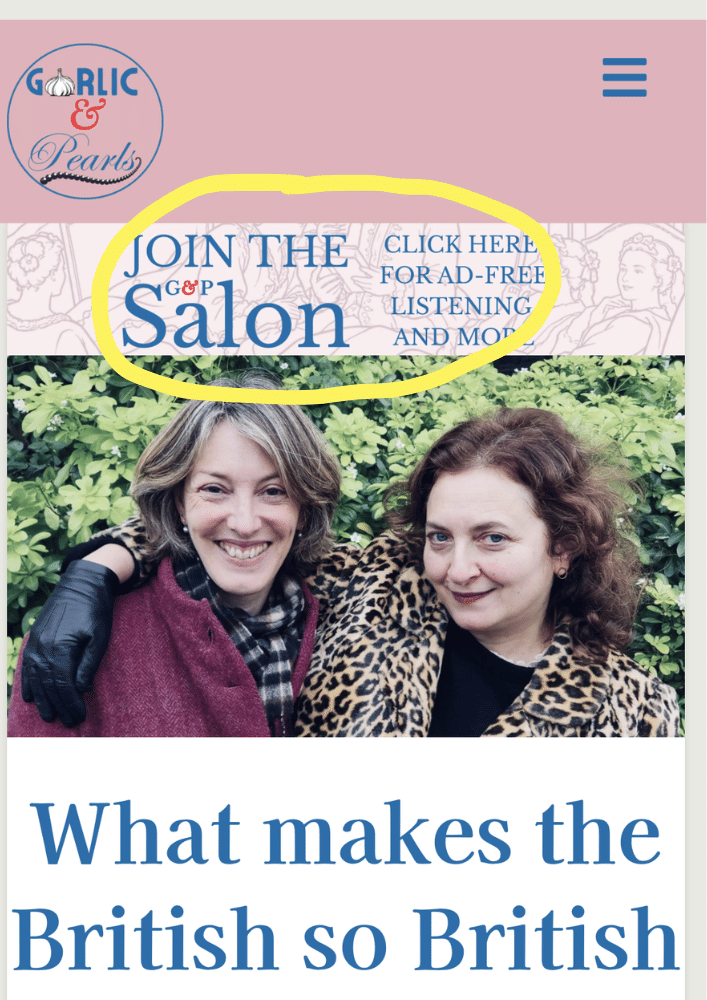
2. Click the banner to join the Salon
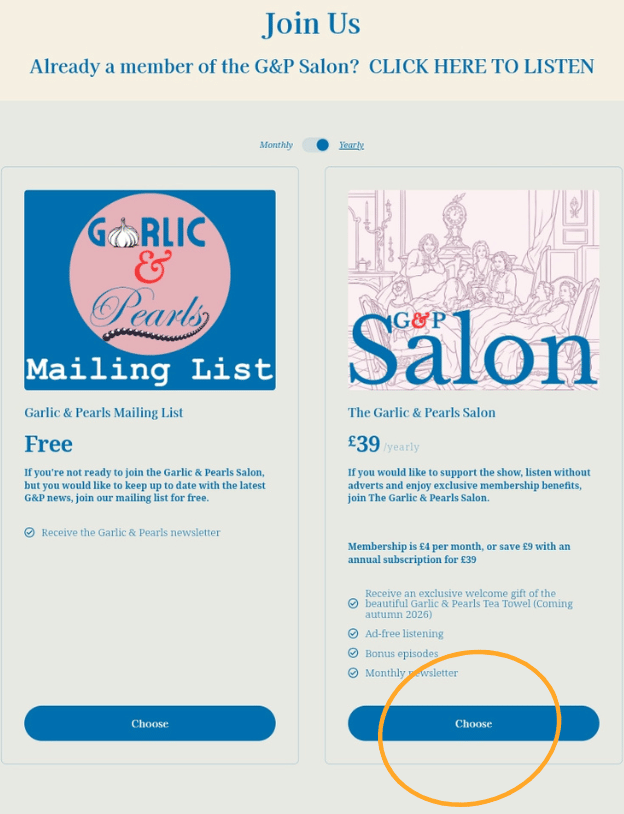
3. Choose the G&P Salon membership.
Select monthly or annual billing before you press "Choose". Annual billing gives you an 18.75% discount.
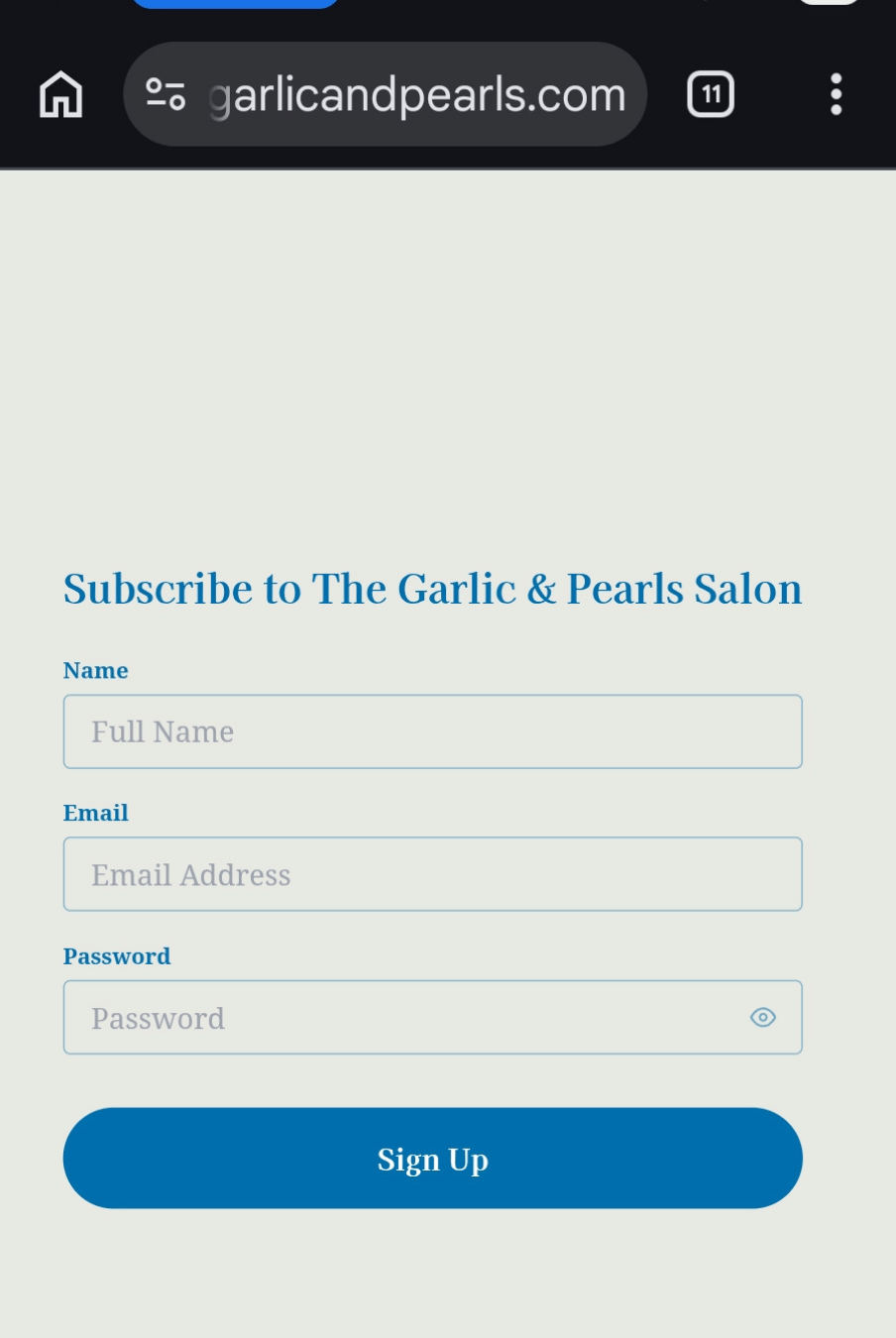
4. Sign up with your name and email address.
Choose a password.
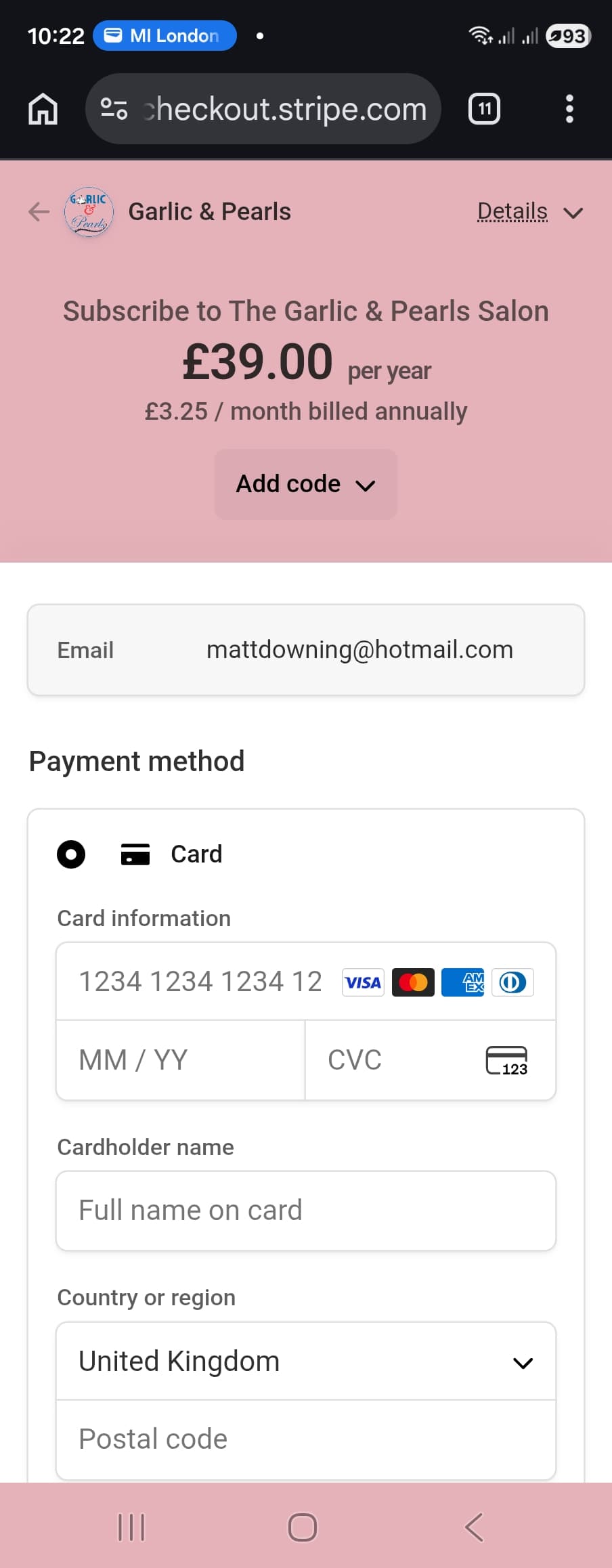
5. Enter your payment details with Stripe, our payment provider.
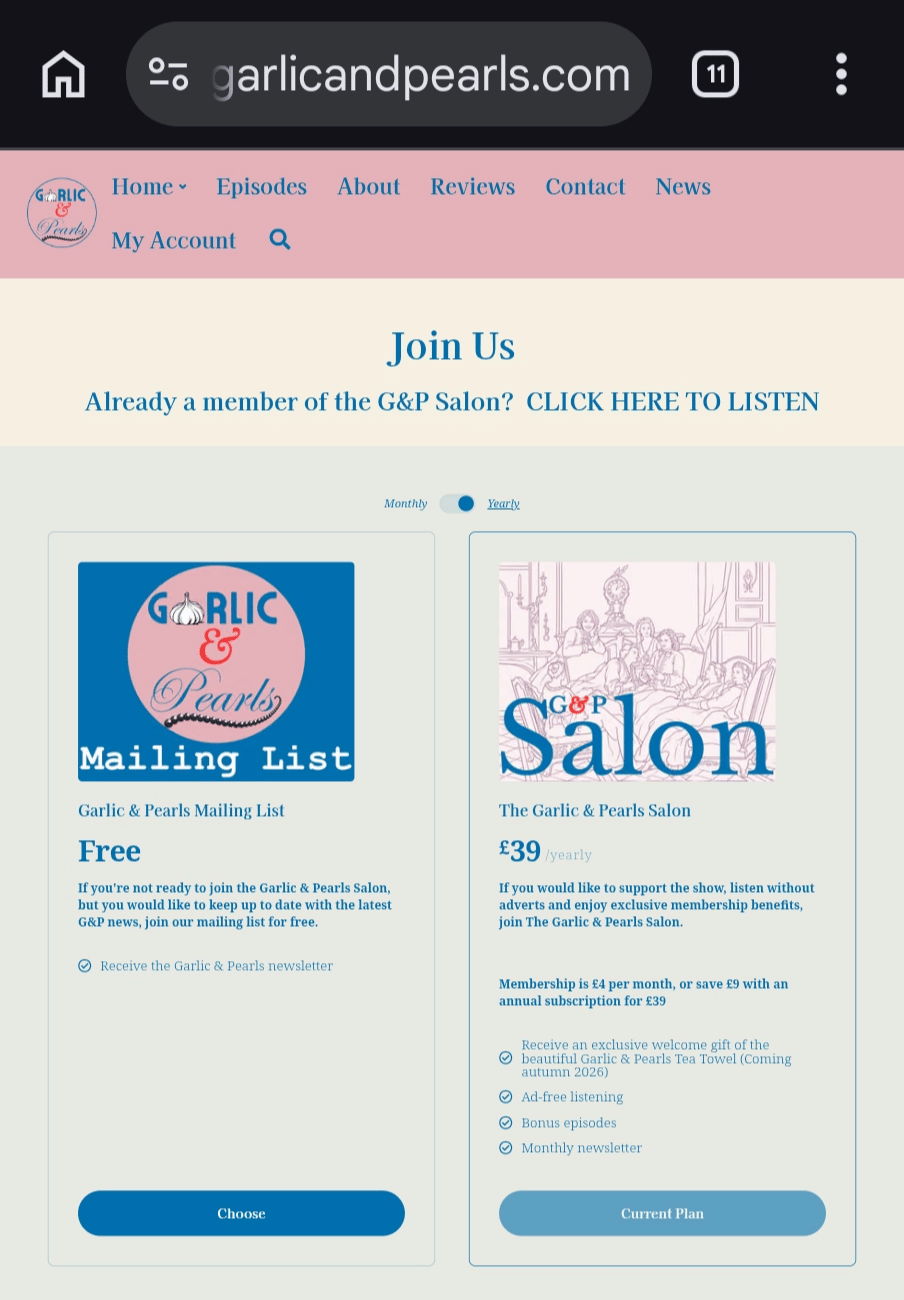
6. When returned to the Membership page, click on the link "CLICK HERE TO LISTEN"
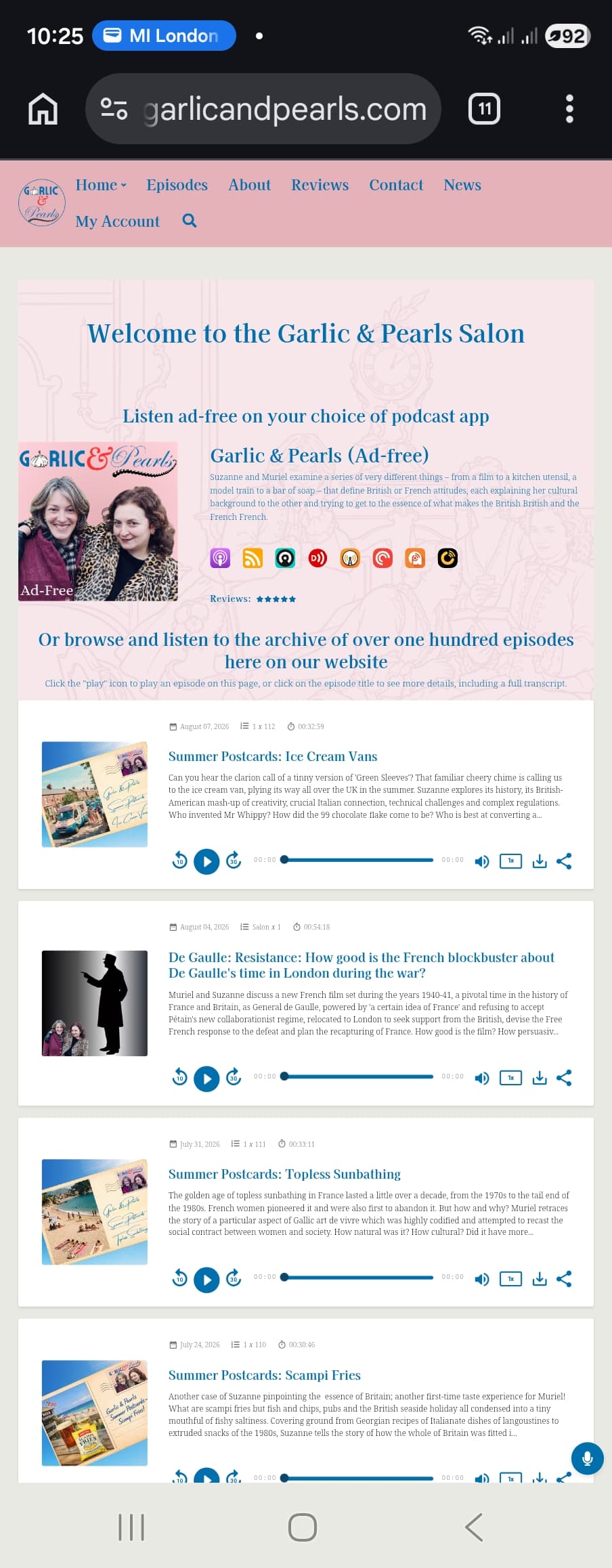
7. Decide which podcast app to use.
Now you can listen to the ad-free version of the podcast on the website. Continue with the instructions to listen in a dedicated podcast app.
In this example, we're using Pocket Casts.
Please note that currently, Spotify is unable to play the ad-free version of the podcast. We hope to bring ad-free Garlic & Pearls for Salon members to Spotify soon.
The apps listed are
Please note that currently, Spotify is unable to play the ad-free version of the podcast. We hope to bring ad-free Garlic & Pearls for Salon members to Spotify soon.
The apps listed are
- Apple Podasts (primarily for Apple users)
- Castros
- Downcast
- Overcast
- Pockets Casts
- Podcast Addict
- Podkicker
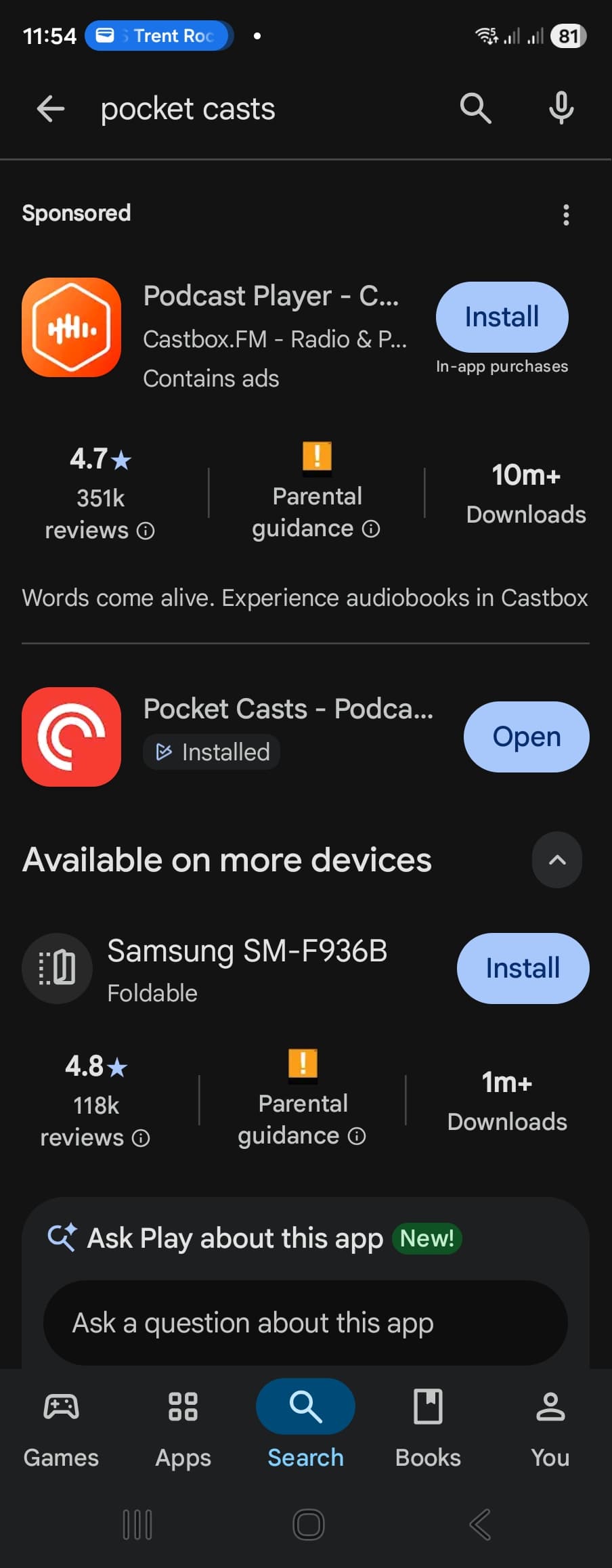
8. Download your podcast app from the Google Play store.
If you don't already have the app you're going to use, download it now from the Google Play store and create your account in your chosen app, otherwise the next steps won't work. In this example, we're using Pocket Casts.
9. Return to the Garlic & Pearls Salon page
Click the icon for the podcast player you have chosen. In this example, it's Pocket Casts.
10. Follow Garlic & Pearls (Ad-free) in the podcast app
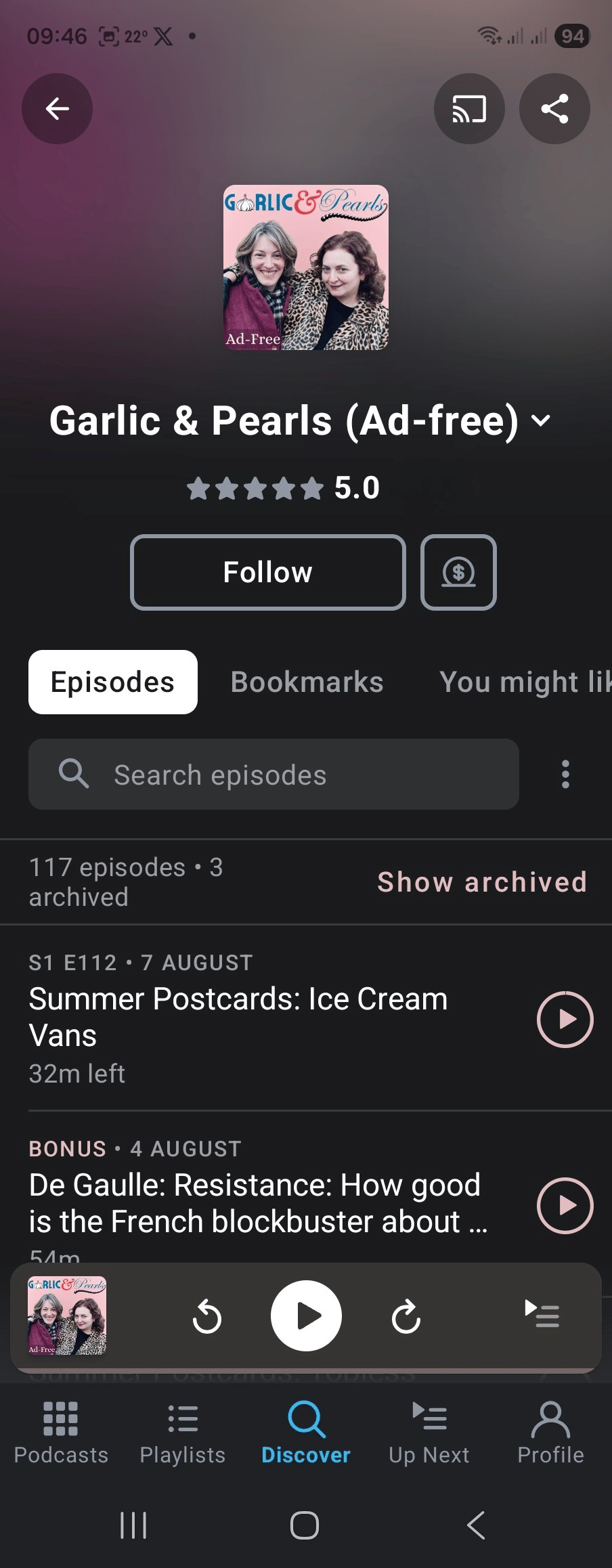
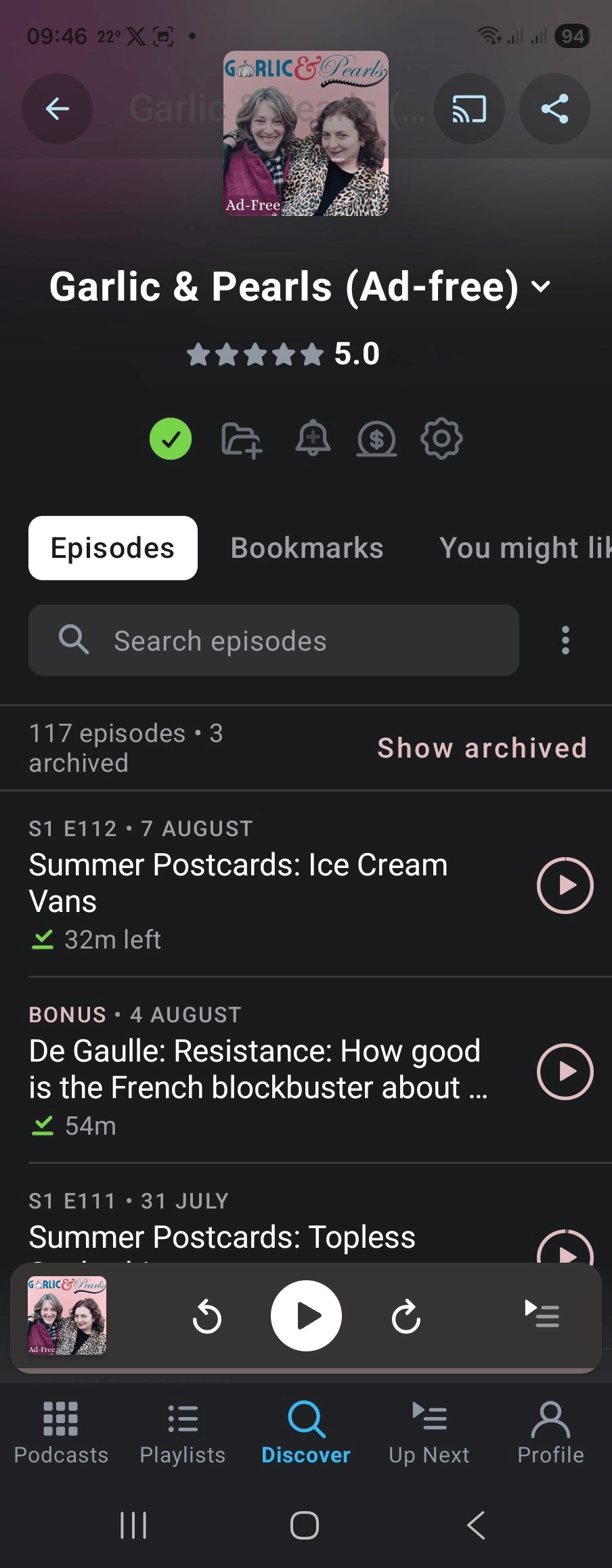
When you click on the app icon in the Garlic & Pearls icon, it should open the app and load Garlic & Pearls (Ad-free). Check the box to follow the podcast. The podcast app may ask you to allow notifications, so do that if you want to be notified of new episodes.
New episodes will appear automatically when they are published.
New episodes will appear automatically when they are published.